Home Articles Built to Break The Invisible Tax Command Request your X-Ray →
Dyno for Mac and Windows

Where your working time actually goes.

Dyno measures it in the background, then tells you what to protect, batch, hand off or automate.

For Mac and Windows. It runs in the background, and what it records stays on your computer.

Live demo. The real app, running on a made-up business. Click anything.Open full screen
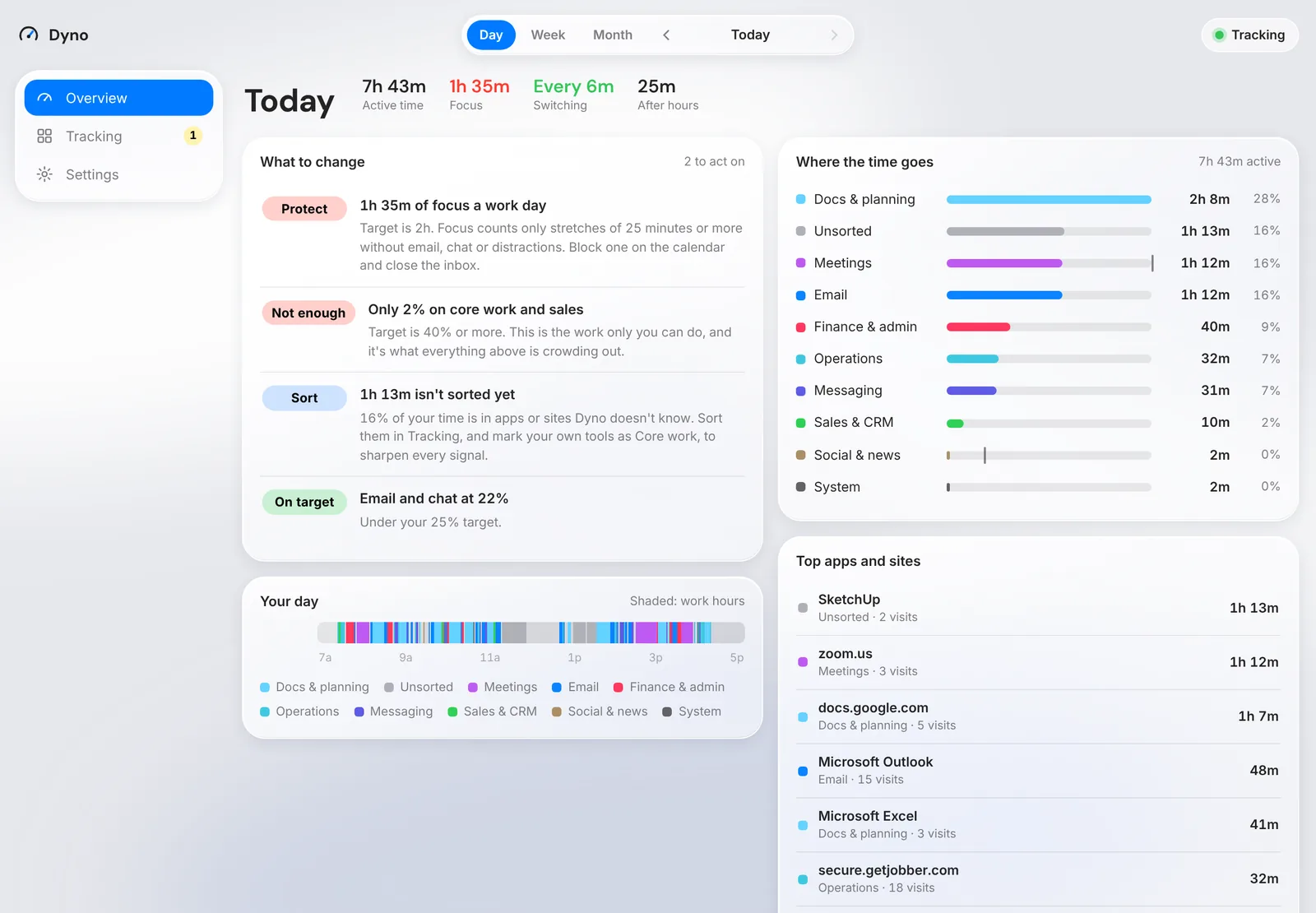
Dyno's Overview with focus, switching and where the time goes

The live demo runs on a computer. Open it anyway

No timesheets

Logging your own time is a second job, and memory is a poor witness. Dyno notices what's in front and does the adding up.

Down to the page

Which site, which page, which window. Idle time isn't counted. Sitting still on a call is.

Private by design

No keystrokes, no screenshots, no private windows, nothing on your block list. Nothing leaves your computer unless you send it.

How it works

Dyno runs in the background from the moment it's installed. Every few seconds it notes the app in front, the window title and, in a browser, the page. Time away from the keyboard doesn't count. Time on a call does.

Overview shows focus time, switching, time after hours and where the week went, and ranks what to protect, batch, hand off or automate. Tracking lists every app, site and page.

Getting started

  1. Install it

    Drag Dyno to Applications on a Mac, or run Dyno.exe on Windows. No admin rights needed.

  2. Allow what it asks for

    On a Mac, Accessibility and once per browser. Windows doesn't ask.

  3. Block what it shouldn't see

    In Settings, Blocked, add anything it should never record, like a patient record system.

  4. Work normally for a week

    It starts at login and runs with its window closed. Pause it any time.

  5. Read it and share it

    Mark your own tools as Core work in Tracking, then read Overview. Export in Settings saves a file you can send to OpFix.

Questions

Does Dyno record keystrokes or take screenshots?

No. Just the app, window title and page address, and you can turn off titles and addresses.

Where does my data go?

Nowhere. It stays on your computer unless you export a file and send it.

What about private or incognito windows?

Only that one happened and how long. No browser, address or title.

Does it count calls?

Yes, even if you sit still. A meeting app, site or window counts, and so does the microphone being on. Dyno checks that it's on and never listens.

Can I delete something it recorded?

Yes. The name, address and title are gone for good. The time stays as Deleted, so totals still add up.

I use Command. Do I need Dyno too?

No. Command includes Dyno. Install one or the other, never both.

How do I get it?

Email OpFix and we'll get you set up.

Want this running in your business?

It starts with an X-Ray of how your business runs today.