Home Articles Built to Break The Invisible Tax Dyno Request your X-Ray →
Command for Mac

Your whole working day on one screen.

Calendar, reminders, notes, tasks, money and your time, in one Mac app. It reads your own calendar, reminders and notes where they already live instead of copying them.

For Mac, macOS 14 or later. Dyno is built in, and it opens in a window or as a full-screen desktop.

Live demo. The real app, running on a made-up business. Click anything.Open full screen
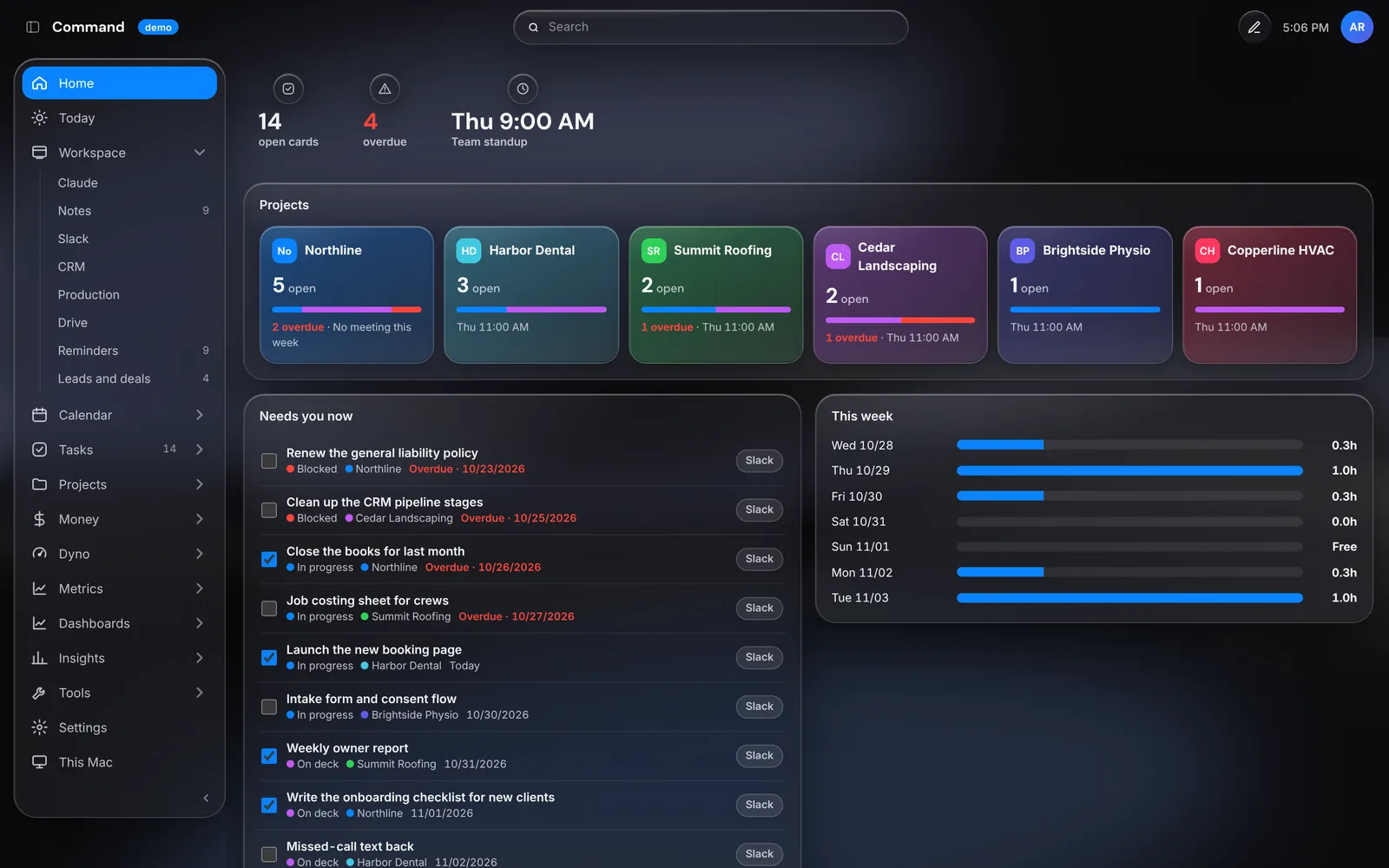
Command's Home page with projects, tasks and the week ahead

The live demo runs on a computer. Open it anyway

The real apps

Calendar, Reminders and Notes are Apple's own. Tasks come from the boards your team already uses. A change in one is a change in both.

Your money, in one view

Every business, project and your personal money, apart or together, from the bank's own numbers.

Your time, measured

Dyno is built in. It shows where the week went and what to protect, batch, hand off or automate.

How it works

Your calendar, reminders and notes are Apple's own, read and written in place, so a change in Command is a change in the Apple apps too. Tasks come from your team's boards. Money pulls every business, project and personal account from the bank, apart or together. Dyno runs inside it, so your time sits next to your money.

It runs as a window or fills a whole display as your desktop. Click and hold anything to move, resize or hide it.

Getting started

  1. Install and open it

    macOS 14 or later. Drag it to Applications and open it.

  2. Say yes to Calendar, Reminders and Notes

    For Dyno it also asks for Accessibility, and once per browser.

  3. Connect what you use

    In Tools, Connections, link the tools you already use for tasks, recordings and more.

  4. Add your money

    Connect your bank or import a bank file, then split accounts into streams: each business, project and personal.

  5. Make it yours

    Rearrange any page. For the desktop, choose Show on Desktop from the menu bar icon.

Questions

Does Command copy my calendar and notes?

No. It uses Apple's own, so there's only ever one copy.

Will my other calendars show up?

Yes, any account added in System Settings, Internet Accounts.

Do I have to connect everything?

No. Calendar, reminders, notes and time work on their own.

Does Command have my bank password?

No. A bank connects with a key kept in your Mac's Keychain, or you import a file.

Does it run on Windows?

Command is Mac only. Dyno runs on Windows too, on its own.

Do I need Dyno as well?

No. Command includes Dyno, so it's one install either way, and your time history carries over.

Can I try it first?

Yes. The demo above is the real app on a made-up business, and nothing you do in it leaves your browser.

How do I get it?

Email OpFix and we'll get you set up.

Want this running in your business?

It starts with an X-Ray of how your business runs today.